







Read the Internet Access and Acceptable Use policy here.
Read the Computer Use Policy here.
Children's Internet Protection Act (CIPA)
The Children’s Internet Protection Act (CIPA) is a U.S. federal law enacted in 2000 to protect children from obscene and harmful internet content. It requires schools and libraries that receive federal funding for internet activity to have an internet safety policy with technology that filters or blocks inappropriate content for minors: https://www.fcc.gov/consumers/guides/childrens-internet-protection-act.
As required by CIPA, PCCLD filters Internet access to visual depictions of obscene materials, pornography, and/or any other material harmful to minors. Users should be aware that Internet filters are inherently imprecise and flawed and may not block information that some individuals may consider objectionable, offensive, inaccurate, or inappropriate. Additionally, the filters may limit access to websites that have legitimate research value. PCCLD does not assume any responsibility for the accuracy of its Internet filters, and users should not treat Internet filters as a substitute for individual judgment and/or parental involvement and oversight.
Technology protection measures may be disabled for some users, as addressed in PCCLD Policy 03.01.02 Internet Access and Acceptable Use.

- Patrons must be 18 years and up in order to check out a Chromebook.
- Patrons must have a library card in good standing for 90 days.
- When new Patron's register for a library card they must wait 90 days before checking out a Chromebook.
- Patrons must fill out a Borrowing Agreement in order to check out their first Chromebook.
- Chromebooks will checkout for 28 days and will renew 6 times unless there is a hold.
- Patrons can only have one Chromebook checked out at a time.
- Patrons can only have one Chromebook on hold at a time.
- Patrons will be charged $196 for a damaged or lost Chromebook.
- A Police Report must be provided if the Chromebook is stolen.
- Fees for missing or damaged Charging Blocks, Charging Cords, and Hard Shell case are listed as follows: Charging Block: $5, Charging Cord: $5, Hard Shell $15, Library Case/Bag: No Charge
- Patron's must have a good standing library card with no charges.
- Hotspot checkout for 28 days with 6 renewals unless there is a hold.
- Patrons can only have one Hotspot checked out at a time.
- Patrons can only have one Hotspot on hold at a time.
- Patrons over the age of 17 can checkout an Adult Hotspot.
- Patrons under the age of 17 can checkout a Juvenile Hotspot.
- Patrons will be charged $75 for a damaged or lost Hotspot.
- A Police Report must be provided if the Hotspot is stolen.

CHROMEBOOKS
Need a device for work, homework, browsing the internet or streaming books, movies and music? Use a Chromebook at the library to stay connected, or borrow one from the library with your library card.
HOTSPOTS
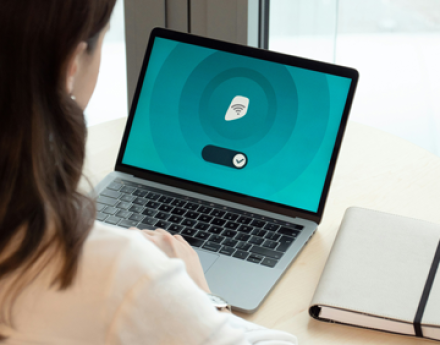
Providing wireless service to patrons who do not have access, PCCLD checks out free hotspots with your library card. Youth Hotspots with CIPA filters available, as well as regular for adult use.
- Check out a Youth Hotspot (with CIPA filter)
- Check out an Adult Hotspot